
Server Account Templates
Overview
You can pre-register accounts that can access connections and save them as templates. These pre-created templates can be easily and conveniently imported when setting up servers or server groups.
Creating a Server Account Template
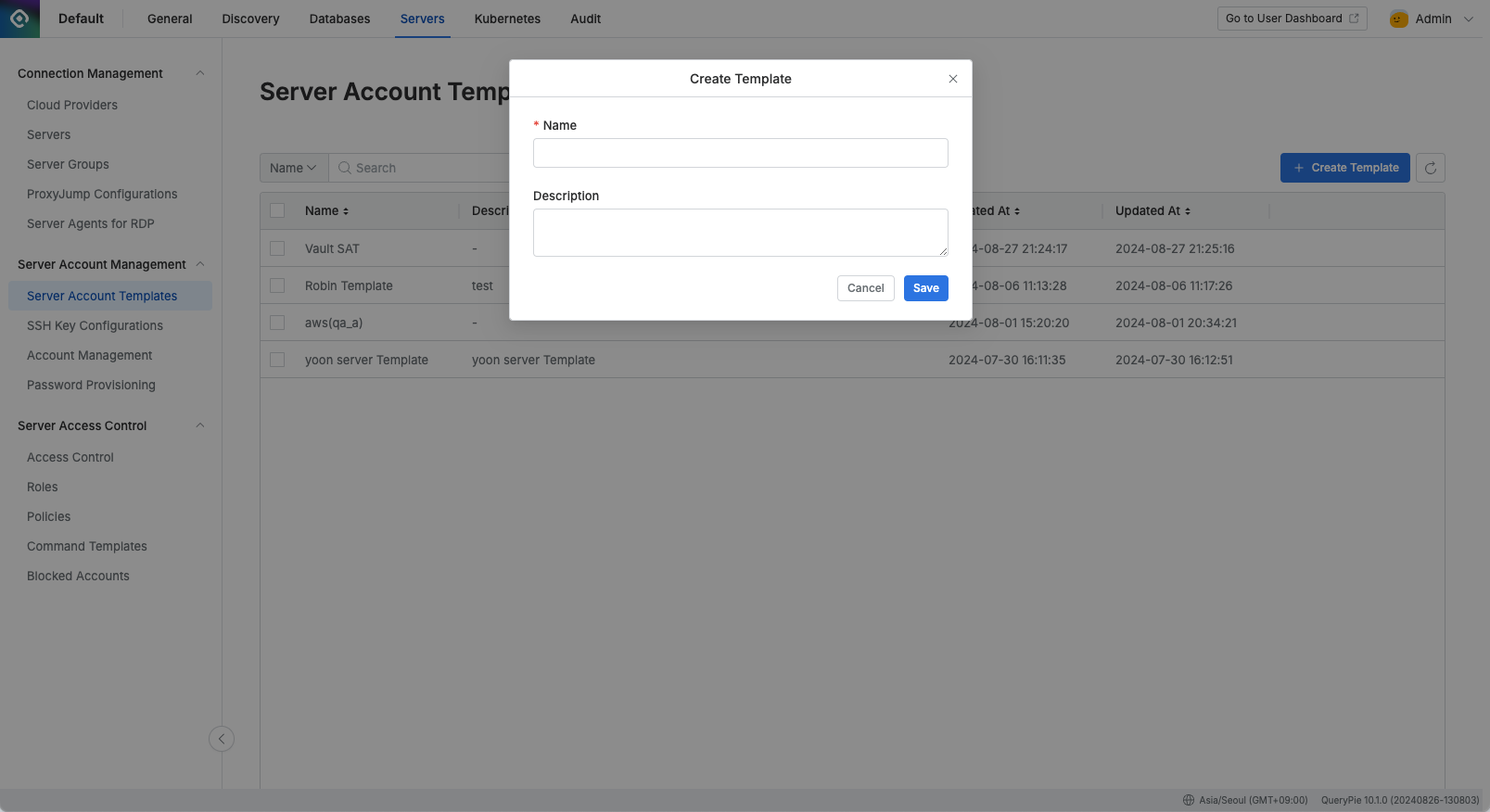
Administrator > Servers > Server Account Management > Server Account Templates > Create Template
Navigate to the Administrator > Servers > Server Account Management > Server Account Templates menu.
Click the
Create Templatebutton in the upper right corner.Enter the following information to create the template:
Name: Enter a name to distinguish the template.
Description: Enter a description that explains the template.
Click the
Savebutton to save.Click on the newly created template in the list.
In the Account section, click
Add Accountto add the accounts to be registered in the template.Refer to the Manually Enroll Servers for account configuration details.
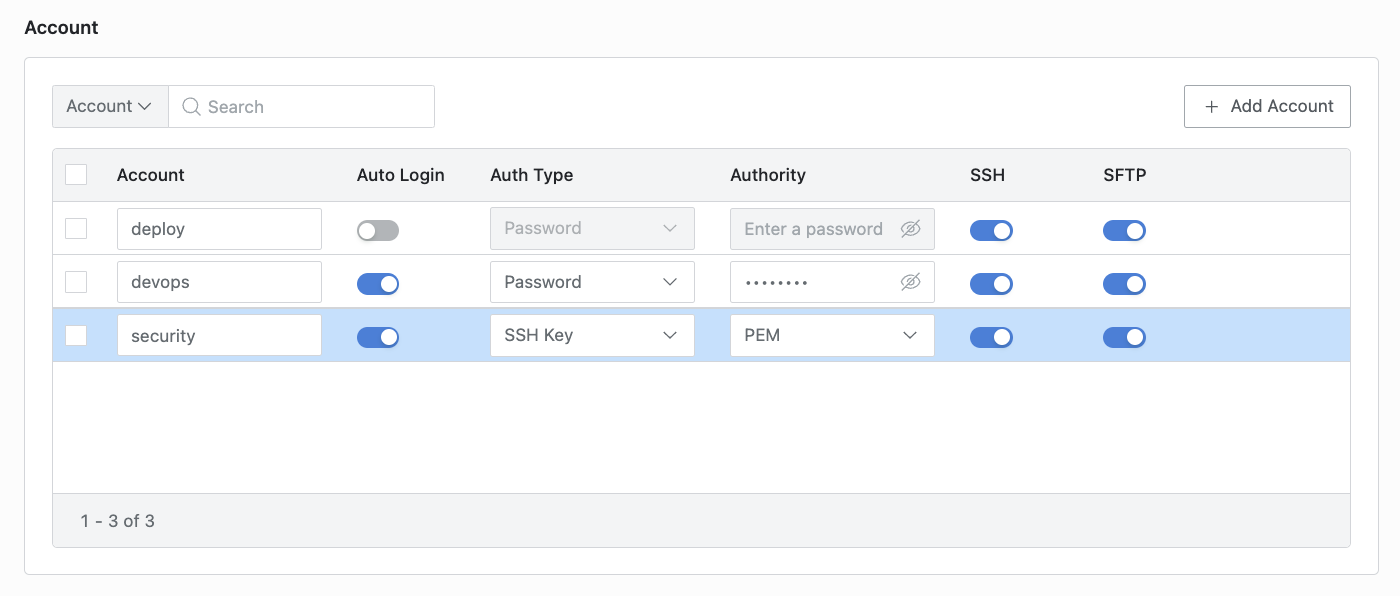
Click the
Save Changesbutton in the upper right corner to save.